Velaroam Cabin Care

Car Care Guide

Protect the cabin. Preserve the drive.

A considered approach to automotive interior care, accessory upkeep, everyday organization, and long-term cabin maintenance. Use this guide to keep the spaces you touch, sit on, store in, and rely on every day cleaner, more organized, and ready for the road.

Core Philosophy

Care should feel considered

A well-kept interior is less about constant deep cleaning and more about consistent attention. Start gently, work by zone, keep moisture controlled, and maintain every accessory so it continues to fit and function as intended.

Principle 01

Remove before adding

Clear loose items, wrappers, dust, and debris before introducing cleaners, cloths, or other care products. A clean starting point reduces unnecessary rubbing and makes the rest of the process more efficient.

Principle 02

Work from dry to damp

Begin with vacuuming and dry dust removal. Move to controlled damp cleaning only when needed. This prevents loose debris from turning into residue across trim and upholstery.

Principle 03

Use less product

More liquid does not always mean more cleaning power. Controlled application helps protect seams, switches, electronics, vents, and materials that should not remain wet.

Principle 04

Finish with a reset

Reinstall accessories carefully, check that nothing obstructs vehicle controls, and return daily essentials to intentional storage positions before the next drive.

Person carefully cleaning a premium vehicle steering wheel and dashboard
High-Touch Surfaces

Start where the cabin is touched most

The steering wheel, console, door pulls, seat contact areas, cup holders, controls, phone-mount surfaces, and frequently handled accessories accumulate the most everyday contact. These areas deserve a simple, repeatable routine rather than aggressive treatment.

Steering wheel Remove surface dust first and use controlled, material-appropriate wiping without saturating controls.
Center console Empty storage areas before cleaning and keep liquids away from ports and switches.
Touchscreens Use a clean, soft cloth and light pressure. Avoid spraying liquid directly onto the display.
Door surfaces Pay attention to handles, armrests, switch panels, and lower areas that collect dust.
Zone Method

Clean the cabin by zone

Breaking the interior into clear zones keeps the process efficient and prevents repeated work. Move through one area at a time and finish each zone before shifting to the next.

01

Glass & upper cabin

Begin with interior glass, mirror surfaces, upper dashboard areas, and high trim. Use clean cloths and controlled application so moisture does not run into seams or electronics.

02

Driver controls

Clean the steering wheel, stalks, buttons, center controls, gear-selector area, touchpoints, and frequently handled surfaces with a gentle approach.

03

Seating

Vacuum seams and creases first. Treat seat-cover surfaces, cushions, and neck-support accessories according to their material, keeping adjustment controls and seatbelt hardware clear.

04

Storage areas

Empty cup holders, door pockets, seatback organizers, console storage, gap organizers, and trunk organizers. Remove debris before returning only the items you actually use.

05

Floor & footwells

Remove floor mats when practical, vacuum loose debris, clean beneath them, and reinstall them securely so no edge can move into the pedal area.

06

Cargo area

Reset the trunk by removing loose items, vacuuming exposed surfaces, checking stored essentials, and securing your trunk organizer before driving.

Maintenance Rhythm

Build a simple care routine

The easiest interior to maintain is the one that is never allowed to become overwhelming. Divide car care into short, repeatable intervals rather than waiting for one major cleanup.

After Regular Use

The quick reset

A few small actions at the end of regular driving keep clutter and visible mess from accumulating.

  • Remove cups, receipts, wrappers, and loose trash
  • Return charging cables to an organized position
  • Reposition cushions or neck pillows if needed
  • Confirm phone mounts remain secure
  • Keep the driver's footwell clear
Weekly

The cabin refresh

A light weekly pass manages dust, crumbs, fingerprints, and everyday traffic before they become harder to remove.

  • Vacuum seats, seams, floor mats, and footwells
  • Wipe high-contact hard surfaces
  • Empty cup holders and storage pockets
  • Clean device-mount contact surfaces
  • Reset trunk and seatback organizers
Periodically

The deeper reset

Periodic care reaches areas missed during quick maintenance and gives you a chance to inspect accessories more carefully.

  • Remove accessories for a full inspection
  • Clean beneath seat cushions and organizers
  • Inspect floor mat retention and edges
  • Review charger cables and power accessories
  • Remove items no longer needed in the vehicle
Surface Awareness

Treat each material differently

Automotive interiors combine multiple materials in a small space. A method that works well on one surface may be unsuitable for another, so always begin gently and test carefully.

Material First Step Care Approach Avoid
Fabric
Vacuum gently to remove loose particles, especially around seams and textured areas.
Use controlled spot cleaning and allow the surface to dry completely.
Excess moisture, aggressive scrubbing, and soaking padded areas.
Leather-like surfaces
Remove dust and grit with a soft, clean cloth before wiping.
Work gently with products appropriate to the specific material.
Harsh solvents, abrasive cloths, and heavy product buildup.
Hard trim
Dust creases, switches, cup holders, and textured surfaces first.
Use light damp cleaning followed by a clean dry cloth when appropriate.
Flooding switches, seams, vents, and electronic interfaces.
Displays
Remove loose dust with an exceptionally soft, clean cloth.
Wipe lightly and follow the vehicle manufacturer's care guidance.
Direct spraying, excessive pressure, abrasive materials, and saturated cloths.
Rubber
Remove loose dirt, dust, sand, and larger debris first.
Clean thoroughly and allow the material to dry before reinstalling.
Leaving the surface slippery, wet, or unsecured in the driver's footwell.
Glass
Use a clean cloth and work on a manageable section at a time.
Finish carefully to reduce residue that may affect nighttime visibility.
Overspray onto displays, trim, and surrounding electronics.
Finished Interior

Care is also organization

A premium cabin does not need to feel empty. It needs to feel intentional. Keep everyday essentials where they are useful, remove what is no longer needed, and let organizers, mounts, chargers, and comfort accessories earn their place.
Keep sightlines clear Position phone mounts and accessories without blocking the road view or vehicle information.
Control loose objects Use storage areas and organizers so small items do not move around the cabin.
Reduce cable clutter Route charging cables neatly and keep them away from steering and pedal areas.
Reset after travel Remove temporary trip items so the cabin returns to its everyday configuration.
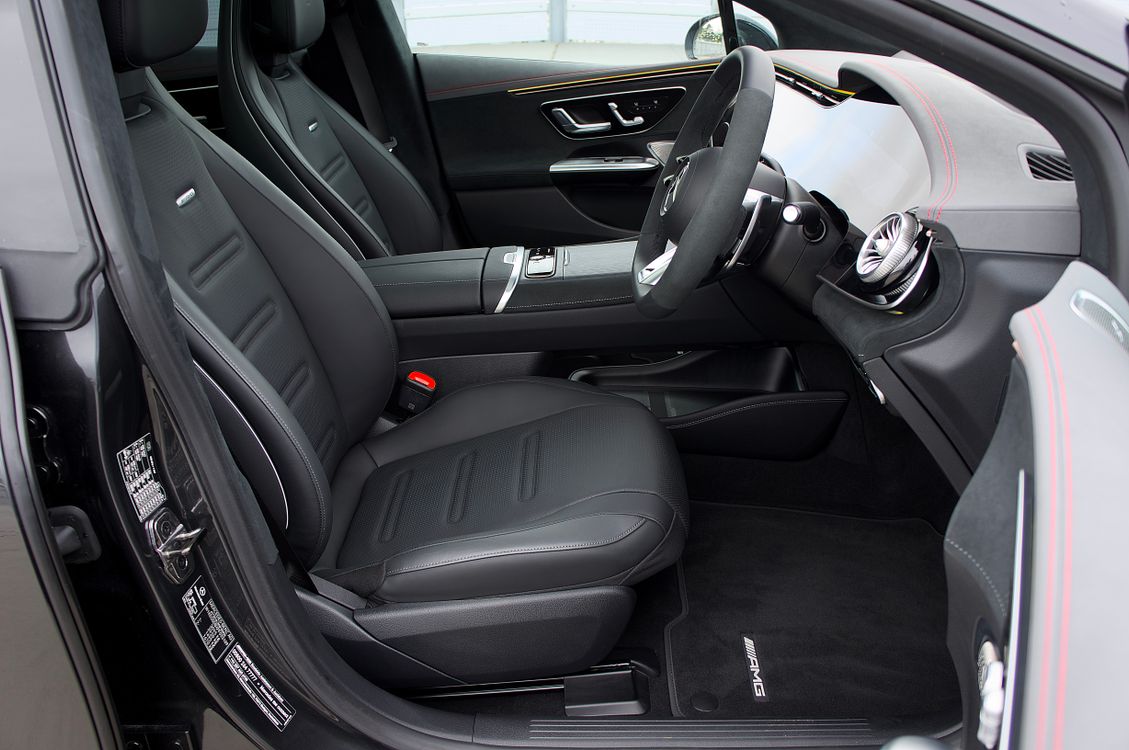
Clean modern premium vehicle interior with leather seating and dashboard
Velaroam Essentials

Care for every accessory

Automotive accessories work best when they remain clean, correctly positioned, and regularly checked. Use these practical habits across the Velaroam collection.

Interior Protection

Seat Covers

Vacuum surface debris and seams regularly. Follow the material's appropriate cleaning method and allow the cover to dry fully before normal use.

Recheck fit after cleaning and keep seatbelts, controls, and safety equipment unobstructed.
Interior Protection

Floor Mats

Remove loose sand, dust, stones, and debris. Clean away from the vehicle when practical and allow mats to dry before reinstalling.

Driver-side mats must remain securely positioned and completely clear of pedal travel.
Interior Protection

Sun Shades

Shake off loose dust and wipe surfaces gently when needed. Fold or store the shade carefully when it is not covering the windshield.

Always remove the shade completely before driving.
Cabin Comfort

Seat Cushions

Vacuum textile surfaces and spot-clean when appropriate. Check seams and attachment areas during periodic interior resets.

Reposition the cushion after cleaning so it remains stable during use.
Cabin Comfort

Neck Pillows

Remove surface dust regularly and care for the outer material gently. Keep attachment straps clean and inspect their position periodically.

Adjust the support without limiting comfortable head movement.
Cabin Comfort

Steering Wheel Covers

Wipe away hand oils and surface dirt with a material-appropriate method. Never reinstall while the cover is wet.

Check frequently for movement, rotation, or looseness.
Organization

Trunk Organizers

Empty the organizer periodically, vacuum loose debris, and wipe compartments before reloading.

Store heavier objects lower and keep cargo balanced and secure.
Organization

Seatback Organizers

Empty pockets before cleaning and remove crumbs or small debris from seams and lower corners.

Recheck attachment straps before returning items to each pocket.
Cleaning Utility

Vacuum & Air Duster 2-in-1

Empty collected debris as needed and inspect attachments before storage. Keep intake and outlet areas clear.

Store accessories together so the tool is ready for the next cabin reset.
Driving Convenience

Phone Mounts

Remove dust from contact surfaces and periodically check that the mounting point remains secure.

Reposition immediately if the mount blocks visibility or controls.
Driving Convenience

Car Chargers

Keep ports and connectors free from visible debris. Inspect charging cables for wear and keep unused cables organized.

Avoid storing loose cables where they can interfere with driving controls.
Organization

Seat Gap Organizers

Remove the organizer periodically to clear trapped debris from the seat-to-console gap and wipe the organizer separately.

Reinstall without covering seatbelt buckles or restricting seat movement.
Better Habits

What to do and what to avoid

Good interior care is often defined as much by restraint as by cleaning power. These habits help keep both the cabin and its accessories in better everyday condition.

Do

  • ✓
    Vacuum before wiping Remove loose grit and dust before moving a cloth across a surface.
  • ✓
    Test carefully When appropriate, try a cleaning method on a small, less visible area first.
  • ✓
    Use clean cloths Separate glass, interior trim, and dirtier cleaning tasks.
  • ✓
    Let items dry fully Reinstall mats, cushions, and removable accessories only when dry.
  • ✓
    Check placement Confirm accessories remain stable and clear of critical vehicle functions.

Avoid

  • —
    Avoid oversaturating surfaces Excess moisture can travel into seams, switches, padding, and electronics.
  • —
    Avoid direct spraying Apply product to a suitable cloth rather than directly onto sensitive controls.
  • —
    Avoid aggressive scrubbing Begin with gentle pressure to reduce unnecessary material wear.
  • —
    Avoid loose accessories Do not drive with mats, mounts, covers, organizers, or cables positioned insecurely.
  • —
    Avoid unnecessary clutter Remove objects that no longer serve a useful role in the vehicle.
Year-Round Care

Adjust with the season

Cabin conditions change throughout the year. Heat, rain, dust, snow, wet footwear, travel, and changing daylight all place different demands on interior surfaces and accessories.

Spring

Deep reset

Clear the residue of winter and prepare the interior for warmer, brighter months.

  • Deep vacuum footwells
  • Clean mats thoroughly
  • Reset trunk storage
  • Review sun shade condition
Summer

Heat awareness

Increased sunlight and cabin temperatures make organization and surface awareness especially useful.

  • Use sun shades while parked
  • Keep displays clean
  • Avoid unnecessary items in direct sun
  • Check mount adhesion and fit
Fall

Debris control

Leaves, moisture, and more frequent weather changes can quickly increase debris in floor and cargo areas.

  • Vacuum mats more often
  • Clear door pockets
  • Organize travel essentials
  • Inspect storage accessories
Winter

Moisture management

Wet shoes, road residue, heavier clothing, and winter equipment can place more demand on cabin storage and flooring.

  • Keep mats secure
  • Remove excess moisture
  • Keep footwells clear
  • Organize winter equipment
Cabin Organization

Reset what stays in the car

A clean vehicle can still feel cluttered if every storage area is overloaded. Use a simple four-step reset to keep the cabin intentional.

01

Empty

Remove everything from the organizer, pocket, console, or compartment so you can see what has accumulated.

02

Clean

Remove crumbs, dust, paper fragments, and loose debris before returning any items.

03

Edit

Keep only useful, current, and appropriate items. Move unnecessary objects out of the vehicle.

04

Rebuild

Return essentials by frequency of use and keep heavier items in stable, secure positions.

Care Questions

Car care FAQs

Open only the question you need. Every answer remains collapsed by default to keep the guide calm, readable, and easy to navigate.

Where should I start when cleaning my car interior?
Start by removing trash and loose personal items. Then vacuum dry debris before using damp cleaning methods. Working from higher surfaces toward the floor helps prevent having to clean the same area twice.
How often should I clean the interior?
There is no single schedule for every vehicle. Usage, passengers, weather, pets, travel, and parking conditions all influence how quickly the cabin becomes dusty or cluttered. A short weekly reset is easier than waiting for a major cleanup.
Should I vacuum before wiping surfaces?
Yes. Removing loose particles first reduces the amount of dust and grit moved around by a cloth. Vacuuming is particularly useful around seat seams, floor mats, storage pockets, and console gaps.
Can I spray cleaner directly onto the dashboard?
It is generally better to use controlled application rather than spraying liquid directly across dashboards, switches, seams, screens, vents, or electronics. Follow the specific care guidance appropriate to your vehicle's materials.
How should I clean a touchscreen?
Use a clean, soft cloth with light pressure and follow the vehicle manufacturer's instructions. Avoid abrasive materials, aggressive rubbing, and direct liquid application onto the display.
How can I keep floor mats cleaner?
Remove loose debris regularly before dirt becomes embedded. When deeper cleaning is appropriate, remove the mats from the vehicle and let them dry fully before reinstalling. Always verify that the driver's mat is secure.
How do I prevent the cabin from becoming cluttered?
Assign specific storage areas for everyday essentials, use seatback and trunk organizers deliberately, remove trash after regular use, and periodically empty every compartment so unnecessary items do not accumulate.
How should I care for seat covers?
Begin by vacuuming loose debris. Use care appropriate to the cover material, avoid unnecessary saturation, and ensure the cover is fully dry and correctly fitted before returning to regular use.
What should I check after reinstalling floor mats?
Confirm that every mat lies flat and that the driver's mat cannot slide forward or interfere with accelerator, brake, or clutch pedal movement.
How should I maintain a phone mount?
Keep the mounting and contact surfaces free of dust, inspect the attachment point periodically, and reposition the mount if it begins to move or obstructs visibility, controls, or safety systems.
How do I care for a car charger?
Keep the charger and cable connectors clean, avoid pulling cables sharply, inspect for visible wear, and organize unused cable length away from vehicle controls.
What is the best way to maintain a trunk organizer?
Empty it periodically, vacuum debris from compartments, wipe surfaces as appropriate, and reload only the items that need to remain in the car. Keep heavier objects low and secure.
How should I use a vacuum and air duster inside the car?
Work systematically through seats, seams, floor areas, storage compartments, and accessible crevices. Avoid directing debris deeper into sensitive controls and keep the tool's intake and attachments clear.
How can I care for the car during hot weather?
Use a windshield sun shade while parked when appropriate, keep heat-sensitive loose items organized, inspect phone mounts and adhesives periodically, and avoid leaving unnecessary objects exposed to strong direct sunlight.
What should I focus on during winter?
Pay extra attention to wet footwear, floor mats, road debris, moisture, and seasonal storage. Keep the driver's footwell clear and remove excess moisture before it accumulates.
What should I do if a cleaner changes the appearance of a surface?
Stop using that cleaning method immediately. Do not continue applying additional product in an attempt to correct the appearance. Refer to the material or vehicle manufacturer's care guidance before proceeding.
Should accessories be removed during deeper cleaning?
Removable accessories can often be taken out when doing so is appropriate and safe. This helps you clean beneath them and inspect attachment points before reinstalling.
How do I keep my interior looking organized after a road trip?
Remove temporary travel items first, empty organizers, clear bottles and packaging, vacuum high-traffic areas, and return only your everyday essentials to the vehicle.
What areas should never be obstructed by accessories?
Keep pedals, airbags, seatbelts, mirrors, windows, driver sightlines, steering controls, safety systems, and essential vehicle controls unobstructed at all times.
What is the easiest habit for keeping a car clean?
The simplest habit is a short reset after regular use: remove trash, return essentials to storage, keep the floor area clear, and address small messes before they become larger ones.
Velaroam Customer Care

Need help with your product?

If you have a question about a Velaroam accessory, product fit, order, return, exchange, or everyday use, our customer support team is available 24 hours a day, 7 days a week.

Customer Support +1 (608) 980-3515
Email support@velaroam.lat
Support Availability 24/7 Customer Support
Shipping Free Shipping on All Products
Delivery 3–5 Business Days
Returns & Exchanges Free Within 30 Days
Address 310 Central Ave, Brooklyn, NY 11221, United States