

3
Focused accessory categories for a cleaner daily driving setup.
Velaroam / In-Car Utility
A more deliberate way to organize the small essentials that shape every drive. Phone positioning, dependable charging, and useful seat-gap storage come together in one calm, functional cabin system.

Clearer access
A well-positioned phone mount helps create a more intentional cabin: less searching, less device movement, and a clearer place for navigation when the vehicle is in use.
Velaroam focuses on practical interior accessories that work with the rhythm of everyday driving. The goal is not to fill the cabin with more objects. It is to give the objects you already rely on a more considered place.
Three useful categories
Each product category solves a different part of the same problem: keeping frequently used devices, power, and small personal items easier to manage without making the interior feel crowded.
A designated position for navigation and essential phone visibility, designed around everyday access rather than loose storage.
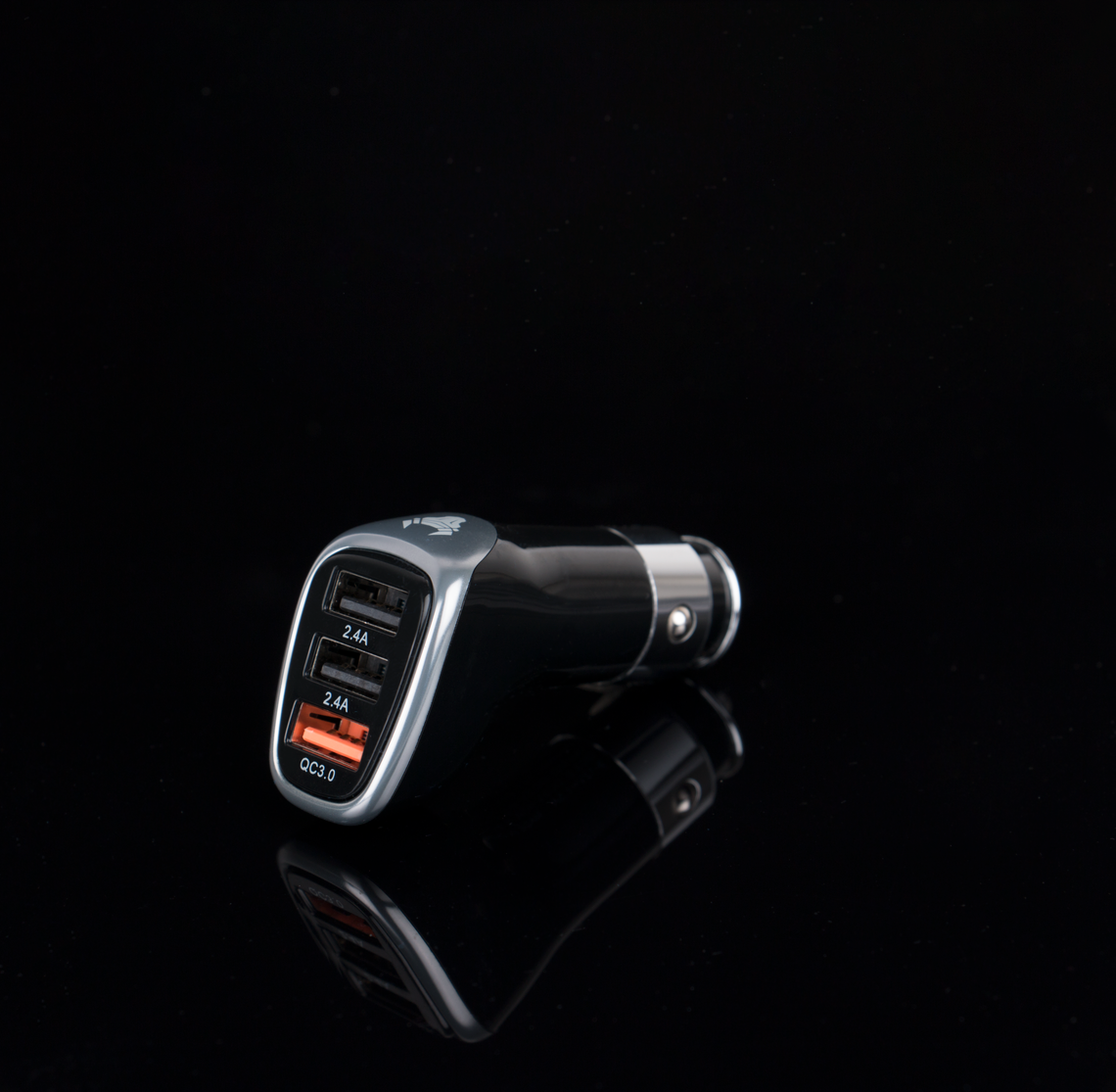
Compact in-cabin charging support for phones and compatible devices, helping keep power available during commutes, errands, and longer drives.
Turn the narrow space beside the seat into something more useful by reducing dropped-item gaps and creating an accessible place for compact everyday essentials.
Power without clutter
Charging should feel integrated, not improvised. A compact car charger gives frequently used devices a dependable place to draw power while keeping the center console more deliberate.
For everyday driving, the best setup is often the one that requires the fewest adjustments. Keep the charger accessible, route cables away from vehicle controls, and choose cable lengths that match the distance between the power source and the device.
Placement framework
Before adding an accessory, consider what you reach for, what needs to remain visible, and what should stay completely out of the way.
Identify areas that preserve a clear view through the windshield and do not obstruct mirrors, displays, or vehicle controls.
Keep accessories, cables, and stored objects away from the steering wheel, pedals, shifter, parking controls, and other operating areas.
Give frequently used small items a defined place instead of letting them collect across the passenger seat, console, or seat gap.
After a few drives, adjust the setup if an accessory requires unnecessary reaching, blocks a control, or adds avoidable visual clutter.
Cabin logic
The most useful automotive accessories disappear into the routine. They support what you already do without demanding constant attention.
Real driving routines
Convenience changes with the drive. A short city commute, interstate travel, and a shared vehicle can all benefit from a slightly different accessory setup.
Keep the setup compact and consistent. One clear phone position, straightforward charging access, and limited storage for the items you use every day.
Longer trips place more demand on power and organization. Keep navigation stable, charging accessible, and small travel items from accumulating around the center console.
Choose accessories that can be understood and used easily by more than one driver. Keep placement intuitive and avoid a highly personalized setup that obstructs another driver's position.
Everyday setup
Place each accessory once, check the setup carefully, and keep the arrangement simple enough that it works without constant attention.
Never position accessories where they obstruct the driver's view, interfere with vehicle controls, block required displays, cover airbags, or conflict with vehicle and accessory manufacturer instructions.
Confirm that the surface, vent, console area, or other intended location is appropriate for the specific accessory.
Device placement should not create an avoidable obstruction through the windshield or around mirrors.
Cables should remain clear of the steering column, pedals, shifter, parking controls, and other operational areas.
Keep only compact everyday essentials inside the organizer so the storage area remains easy to access and does not interfere with seat adjustment.
If an accessory shifts, loosens, creates noise, or interferes with normal vehicle use, stop and reposition it before continuing regular use.
Velaroam service
The buying experience should feel as considered as the products themselves, from ordering through delivery and returns.
Assistance is available around the clock when you need help with an order or general store question.
Every product ships free, helping keep the final purchase experience simple and predictable.
Orders are delivered within approximately 3–5 business days under the store's standard delivery terms.
Eligible products can be returned or exchanged free within 30 days under Velaroam's store policy.
Common questions
A few practical considerations can make it easier to select the right accessory for your vehicle and daily driving routine.
Choose a position that keeps the device secure and accessible without blocking your windshield view, mirrors, dashboard information, airbags, vents required for safe operation, or vehicle controls. Always follow the mount and vehicle manufacturer's instructions.
Confirm your vehicle's available power connection and the charging requirements of the devices you plan to use. Check connector types, supported output, available ports, and cable compatibility before ordering.
Fit depends on the space between the seat and center console, seat movement, console shape, and the dimensions of the organizer. Measure the intended area and make sure the accessory will not interfere with seat controls, seat belts, or normal seat adjustment.
Yes, when both accessories are compatible with the vehicle and device. Plan the cable route before driving so the cable does not cross controls, hang near the steering area, or create unnecessary clutter.
Limit the cabin to accessories you genuinely use. Keep cable lengths appropriate, give each small item a defined location, and avoid filling organizers simply because storage space is available.
Yes. Velaroam provides free shipping on all products for its United States storefront.
The standard delivery timeframe is approximately 3–5 business days.
Velaroam offers free returns and exchanges within 30 days, subject to the store's applicable return conditions.
Yes. Velaroam provides 24/7 customer support for order and store assistance.
Need assistance?
If you need help with a Velaroam order or have a general product question, our customer support team is available 24/7.